


BaseballX
A VR baseball batting simulator for Meta Quest: face recorded pitches with a mapped bat and see every swing measured.
- Role
- Lead Developer
- Studio
- XRev Studio
- Platforms
- Meta Quest 2, 3, 3S and Pro
- Built with
- Unity 6, C#, UI Toolkit, Firebase
- Play space
- Standing or roomscale
By the numbers
Batting practice in a classic ballpark
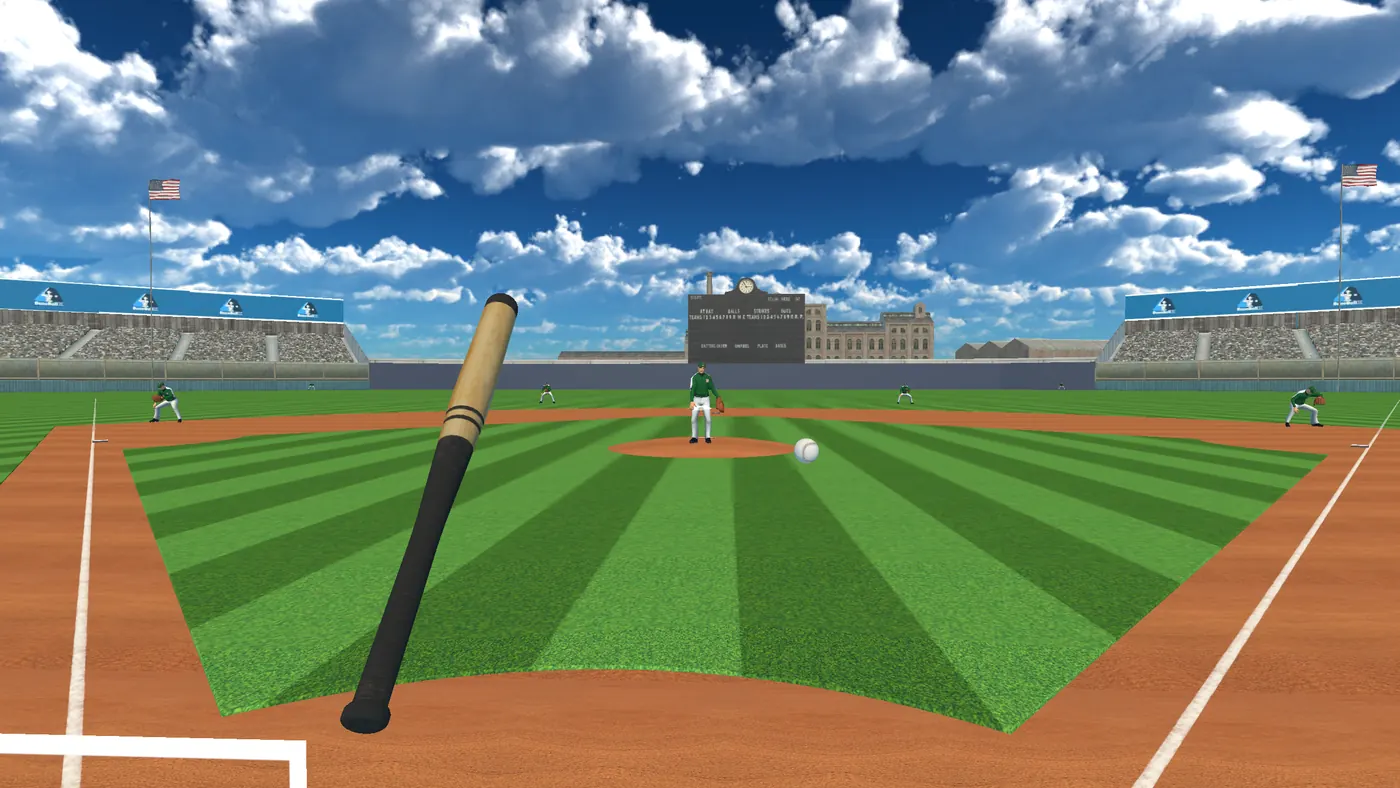
BaseballX is a virtual reality baseball batting simulator for Meta Quest, made at XRev Studio. You stand in the batter's box of a bright brick-and-steel ballpark, touch the floating Next Ball sphere or press A, and the pitcher throws. You swing a tracked bat at fastballs, cutters, curveballs, sliders, splitters and change-ups.
It plays standing or roomscale on Quest 2, 3, 3S and Pro, and it does not need an internet connection. It is made for hitters who want repetitions with feedback: set up the pitch you want to work on, save it to a playlist, and face it as often as you like.
How the pitches work
Each pitch comes from a database of recorded pitches: a speed, a line, a length and a break. The ball is launched at that speed, and a spin force from the break bends its path. Four difficulty tiers decide how fast a pitch must be to count as a fastball: 63, 72, 81 or 90 mph. The game sorts every pitch into seven types by its speed and its break.
In training you pick any of nine pitch types, or random, then drag the location and the movement on two small pads and set the speed. A separate physics scene flies each pitch before it is thrown, so it reaches the strike zone where you asked. The zone has 18 zones and is 17 inches wide, like the real plate. A ball over the fence on the fly is a home run. Anything else is scored by how fast a fielder collects it: within 1.5 seconds it is an out, and each extra second moves it up to a single, a double or a triple.
What players notice
- Every swing is scored: bat speed, timing, barrel, launch angle, exit velocity and distance.
- Relive two famous championship games inning by inning, with 570 lines of matching commentary.
- Map your real bat, save the preset, and play standing or roomscale on any Meta Quest.
- Pass-and-play arcade, knockout tournaments with ten national teams, and a softball mode.
Every swing, measured
Every swing is scored: bat speed at contact and at its peak, downswing time, timing, barrel score, launch angle, ball speed in, exit velocity and distance. The last pitch is drawn as a line in the air with cards for its speed, type and angle, and the hit is drawn as a second line.
You can replay the swing from three camera views and check a strike-zone map and a spray chart. Career numbers such as batting average, slugging, on-base percentage and OPS build up across all your sessions.
Your own bat, on any Quest
Bat mapping lets you line up a virtual bat with your real bat or controller, then save it as a preset. Hold the controller in your hand or mount it on the bat, and the preset applies to both controllers. If tracking drops for a moment, a "tracking lost" notice waits it out instead of flashing on every small gap.
Each headset model gets its own refresh rate and quality profile, up to 90 Hz. Passthrough can show your real room around the plate, and a softball mode brings its own pitcher, ball size and field.
Modes that give practice a goal
Twelve skill challenges run from First Contact to the Legends Gauntlet, each with a clear goal. Pass-and-play arcade lets friends share one headset, and knockout tournaments bring ten national teams. Daily and weekly events drop you into a game already in progress, and two famous championship games can be replayed inning by inning, with 570 lines of matching commentary.
Hits earn XP, and new levels unlock new bats: wooden first, then steel mesh, then titanium.
What I built, and what the team built
I built the shared systems under the modes: XP and levels, bat rewards, and the event system that schedules daily and weekly scenarios and replays real games inning by inning. I also built the match state for simulated games, the strike zone and the pitch simulator, pitcher difficulty and release points, and bat mapping from start to finish. I set up the game's own repository, moved it to Unity 6 with a new XR rig that supports hands, and made the first signed builds from it.
For the game's biggest update I wrote the blueprint: four migration plans and an audit, covering the UI, saves, a version check and build automation. The team built the update on a UI Toolkit framework and a save and sign-in layer that I wrote. The ballpark, the animation, much of the gameplay code, the arcade mode and the challenges are my teammates' work.
What I used here
Game Feel & UX
A "tracking lost" notice waits out a controller dropout instead of flashing on every blip.
- Calibrate a real bat once, save the preset, and pick controller-in-hand or on-bat.
- Timing, barrel, launch angle and exit speed come back on a card after every swing.
UI Development
Every in-headset screen runs on a UI Toolkit framework I wrote, after its biggest update moved the whole game onto it.
- I wrote the migration plan; the team carried it out screen by screen.
- Home tiles, settings, analysis and career stats share one theme.
VR Interaction & Comfort
Map your real bat to the controller, with presets that remember your grip.
- Controller in hand or mounted on the bat, tilted or flat, either hand.
- Passthrough keeps the room visible, and the strike zone floats where the plate is.
Game Architecture
I set up BaseballX's own repository and moved it to Unity 6 with a new hand-tracked XR rig.
- The XP system, level rewards and daily and weekly mode events are systems I built for it.
- Sign-in and saves run on a Firebase identity layer and a durable write outbox I wrote.
Performance
Each headset model gets its own refresh rate and settings, up to 90 Hz.
- Quest 2, 3, 3S and Pro run the same build with different quality profiles.
Tools & AI Workflow
Four migration plans and an audit, written in one day, became the game’s biggest update.
- UI Toolkit, Firebase, the version gate and build automation, each with its own plan.
- The version gate can hold players on a maintenance screen without a new build.
Release & Publishing
Thirteen signed headset builds in five weeks took the Unity 6 version to store-ready.
- On the Meta Horizon Store since December 2024.
- Sign-up and Pro checkout hand off to the website, so the game never touches card details.
Team Leadership
The blueprint for the 2026 update was mine; the team built it on the shared UI framework and Firebase layer.
- Arcade, the challenges and the ballpark are the team’s work, and it shows.
End of the case studyThanks for reading.
More case studies
Working on something like this?
I'd love to hear about it. If there is a game or a project where this kind of work would help, send me a message.